


一 前言
之前介绍了ServerStat在Linux VPS的安装配置、采用Vnstat来防止重启导致数据丢失的问题,以及如何在安装了openwrt的n1旁路由上安装Serverstat,以及如何在LiNUX VPS上手动安装Server-Rust,需要的可以访问之前的博文:
1)随时随地监控你的VPS状态——Serverstat部署折腾之路
2)Serverstaus改用Vnstat统计VPS流量,避免服务器重启引起统计丢失
3)N1折腾之openwrt安装ServerStatus_Rust客户端
4)LiNUX VPS上Server-Rust的手动安装教程
博主最近购买了阿里云国际的CDT作为上网备用,限于其配置,只有468M内存和2G硬盘,无法安装debian,因此采用体积和内存占用更小的alpine。但alpine系统部分组件和命令与debian不同,按原文的安装方法无法安装。本文介绍下如何在Alpine上手动安装Server-Rust client客户端(client即发送流量信息的VPS,server即收集流量信息并汇总展示的VPS),一般1台服务器作为服务器端和客户端,其他VPS作为客户端。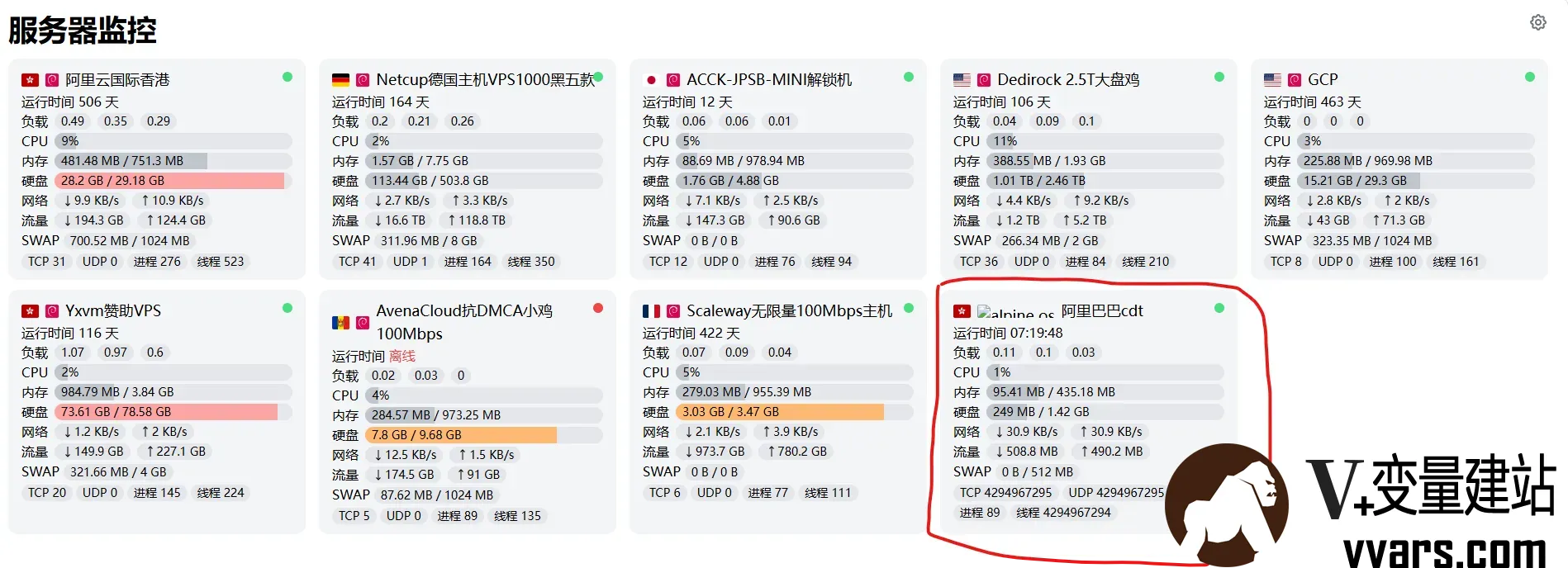
二 stat_client客户端安装教程
1 /opt目录下创建ServerStat目录
mkdir -p /opt/ServerStatus && cd /opt/ServerStatus2 下载stat_client客户端
到官方地址下载
根据自己的服务器内核选择合适的客户端版本,这里以x86 64位的Linux为例:
wget --no-check-certificate -qO client-x86_64-unknown-linux-musl.zip https://github.com/zdz/ServerStatus-Rust/releases/download/v1.8.1/client-x86_64-unknown-linux-musl.zip3 解压缩
unzip -o client-x86_64-unknown-linux-musl.zip4 修改stat_client的权限
chmod +x stat_client5 复制stat_client.service到/etc/init.d/,并改名为stat_client
mv -v stat_client.service /etc/init.d/stat_client6 替换 /etc/init.d/stat_client 文件
用下面的代码替换stat_client中的内容,并将IP改为你服务器的IP或你的域名,注意这里的-u后的用户名、-p后面的密码,与上面config.toml中的name、password必须一致,否则会通讯不成功。
#!/sbin/openrc-run

name="ServerStatus-Rust Client"

description="Client for ServerStatus-Rust"

command="/opt/ServerStatus/stat_client"

command_args="-a 'http://ss.vvars.com:8080/report' -u h1 -p p1 &"

command_user="root:root"

directory="/opt/ServerStatus"

depend() {

    need net

}

start_pre() {

    ebegin "Starting ${name}"

}

stop_pre() {

    ebegin "Stopping ${name}"

}
同时修改stat_client的权限
chmod +x /etc/init.d/stat_client7 将 stat_client加入系统服务
rc-update add stat_client default8 启动服务
service stat_client start10 查看状态,显示running即为成功
service stat_client status11 其他命令
service stat_client  stop     停止客户端服务
service stat_client restart  重启客户端服务



[...]一 前言之前介绍了ServerStat在Linux VPS的安装配置、采用Vnstat来防止重启导致数据丢失的问题,以及如何在LiNUX VPS上手动安装Server-Rust,需要的可以访问之前的博文:1)LiNUX VPS上Server-Rust的手动安装教程2)Serverstaus改用Vnstat统计VPS流量,避免服务器重启引起统计丢失3)Alpine上Server-Rust的手动安装教[...]